Free MOV to WAV Converter
Convert MOV to WAV online without leaving your browser. This free MOV to WAV converter lets you extract audio from local QuickTime recordings, iPhone exports, and other MOV files, then download a WAV file for editing, review, or archive work.
Upload MOV and Convert to WAV Audio
Supported Formats: MOV, MP4, AVI, WebM, MKV
Drag & drop your MOV file
or
Convert Local MOV Files to WAV in a Fast Browser Workflow
Convert a local MOV file to WAV when you only need the audio and do not want to open a full editing app. It works well for common Apple-side sources like QuickTime captures, iPhone exports, interview recordings, meeting videos, and classroom clips.
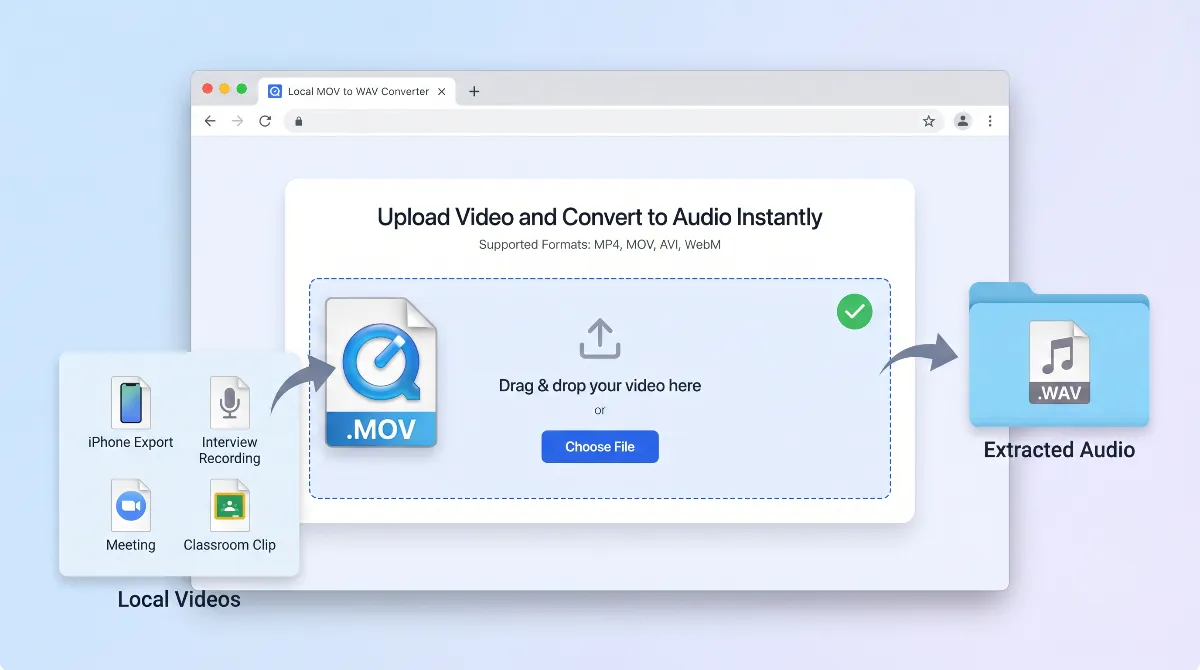
If your file came from a Mac or another QuickTime-based workflow, extracting the sound as WAV is a direct way to move from video to a separate working audio file.
Extract audio from MOV without sending the file away
Keep the workflow in the browser when you want to extract sound from MOV files without relying on a remote upload queue.
Get a WAV file that is easier to edit and review
A WAV file is often the better next step when you want to trim, clean up, transcribe, or archive the audio. Converting MOV to WAV does not add quality, but it gives you a more practical working format.
Great for QuickTime recordings and Apple-side exports
MOV is common in Mac and iPhone workflows. Convert QuickTime to WAV or pull audio from a local Apple-exported video in one direct step.
Use a short upload, convert, download flow
Pick the file, convert it to WAV, and download the result without getting slowed down by extra software steps.
Works across Mac, desktop, and mobile browsers
If the MOV file is already on your device, you can use the same browser flow on desktop or mobile. That makes it easier to handle MOV to audio tasks on the machine you already have.
Choose WAV when quality matters more than file size
Choose WAV when you want a fuller audio file for editing, review, or archive use instead of the smallest possible output.
Extract voice tracks from interviews and meetings
When the useful part of the MOV file is the spoken audio, exporting to WAV gives you a cleaner file for editing, transcription, and review.
Handle QuickTime captures, classes, and screen recordings
QuickTime and Apple-device recordings often end up as MOV. Converting them to WAV is a simple way to keep the audio while dropping the video container.
Keep a separate WAV file before deeper audio work
If you plan to clean up, tag, or archive the soundtrack later, splitting the audio out of the MOV first keeps the next step easier to manage.
Why Choose This MOV to WAV Converter
Made for direct MOV to WAV conversion
Convert MOV to WAV directly without sorting through a generic converter workflow full of unrelated formats.
Useful for Mac and QuickTime users
Use it with common Apple-side situations, including QuickTime recordings, iPhone exports, and local files stored on a Mac.
Private and simple by default
You do not need an account, and you do not need to move through a long desktop editor workflow just to extract audio from MOV.
Clear path when WAV is the right output
Choose WAV when you want a file for editing or archive use, not a smaller compressed audio format for casual sharing.
How to Convert MOV to WAV
Upload your MOV file
Choose the local MOV video from your Mac, PC, phone, or tablet and add it to the converter.
Convert the audio track to WAV
Start the conversion and let the browser extract the sound from the MOV file into WAV format.
Download the WAV output
Save the WAV file to your device and continue with editing, listening, transcription, or archive work.
Understanding MOV, WAV, and When to Choose Each
What is a MOV file
MOV is a video container format commonly associated with QuickTime and Apple-based export workflows. It can hold both picture and sound in one file, which is why users often need to extract the audio later.
What is a WAV file
WAV is an audio format used when you want the sound as its own file. It is widely supported in editing, cleanup, transcription, and archive workflows, especially when you want a straightforward working file.
Should you choose MOV to WAV or MOV to MP3
Choose MOV to WAV when you want a fuller working audio file for editing or long-term use. Choose MOV to MP3 when smaller size matters more. If you need a broader page for mixed video formats, use Video to WAV.
Related Audio Extraction Tools
More Video to MP3 Converters
More Video to WAV Converters
Frequently Asked Questions
How do I convert MOV to WAV online?
How to convert MOV to WAV on Mac?
Can I convert MOV to WAV?
Is MOV the same as WAV?
Is it free to convert video to WAV?
Does converting MOV to WAV improve audio quality?
Is there a MOV to WAV no size limit converter?
Can I use Audacity to convert MOV to WAV?
Can I extract audio from QuickTime to WAV?
Convert Your MOV to WAV Now
Extract audio from your local MOV file, save it as WAV, and keep the process simple from upload to download.